/ recent work / deskgremlins
Desk Gremlins
Desktop companions that walk along your screen edge, perch on app title bars, and help in small ways — notes to Obsidian, paste, search, chat.
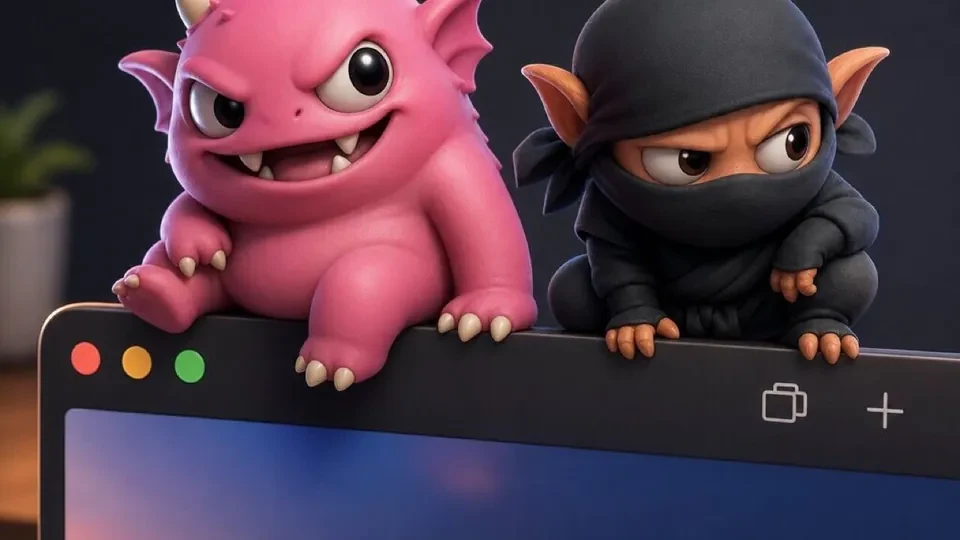
Tiny characters that live on the desktop — not a browser tab, not a menu bar widget pretending to be a pet. A transparent, always-on-top window that walks along the bottom of the monitor, perches on focused app chrome when asked, and opens a radial menu when clicked.
What it is
- Four active gremlins (Ninjoo, Plump, GrungeBot, Zomboi) — each with its own mesh, walk cycle, palette, sample lines, TTS tuning, and inner-ring actions.
- Perch as one-time transport onto a title bar or input area — then idle there until moved.
- Click → radial menu: drop a note to Obsidian, paste clipboard to vault, launch an app, search the web, or ask the gremlin (OpenAI / OpenRouter / hosted proxy).
- Bond-gated inner ring — affection, feed, play, discipline, character-specific gags (throws, slashes, honk).
- Tray-first UX on macOS — optional menubar micro-mode hides the window; tray is the primary surface.
Stack choices
Tauri 2 + SolidJS + Three.js for the pet window. Live2D path exists for future characters (The Countess is designed but held for licensing). Tripo and Quaternius meshes for the current roster — procedural stride when clips don’t exist, per-character movement profiles tuned by hand.
Rust side handles window management: frameless, skips taskbar, multi-monitor aware.
Recent shipping
Past few weeks were animation and presence polish: Fenix flies and freezes wing flap on idle, Plump blob waddle, translucent dialogue bubbles readable on any background, Zomboi re-sliced from demo reel into named subclips, per-character inner wheels on walk cycles.
2027 release window
Desk Gremlins is deliberately on the back burner with a 2027 release target. The next production pass covers the marketing site, download path, and commercial licensing for The Countess before she joins the roster.